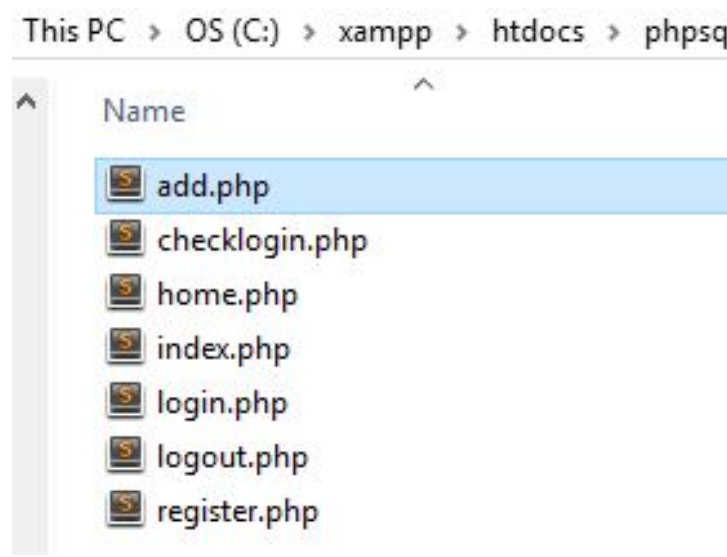
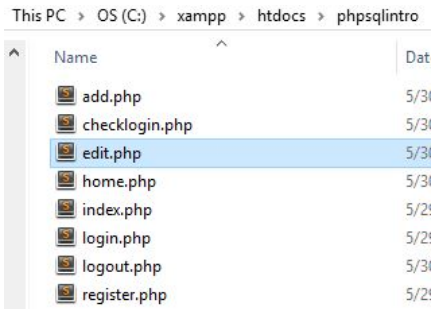
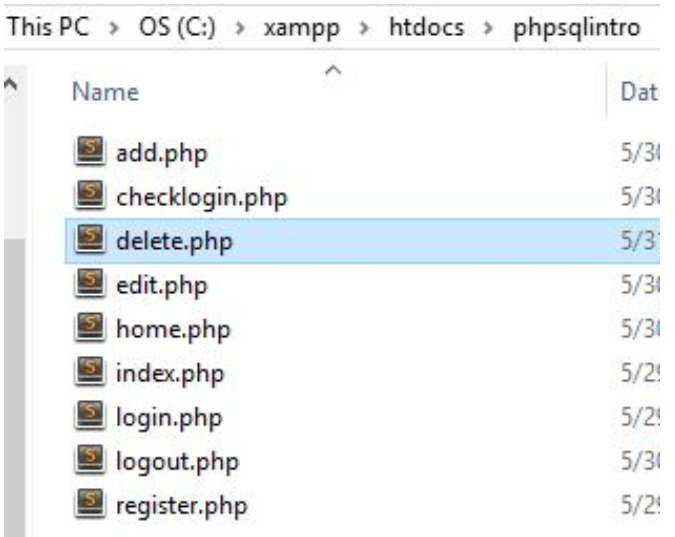
We're reaching the end game of Programming Pro! You've learned a lot in your time in this course. Now
we are reaching the final thing of web development! If you really enjoyed this, then the next step would
be to get on one of our web development courses for Javascript, PHP, Ruby on Rails, or whatever other
web development track looks good to you.
In this project you are going to use PHP and MySQL to allow users to login into your website and add
items to a list. Users who are logged in can see everything, while guests can only see the public posts
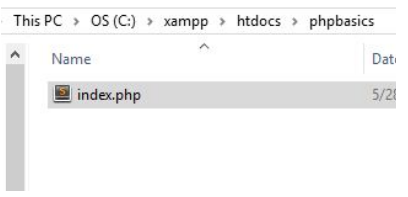
In order to test your code, you have to type in "localhost/yourProjectFolder/index.php" on
your browser. You can't just double click the file (if you do, you'll just see the PHP code).
Now that we have the dust off, time to jump into making this website! First thing that we have to
is make our base pages for the home page, register page, and the login page.
Modify your index page to look like this.
Remember that index is the first page anyone
would go to if they typed in your website
address, so this is considered your "home"
page.
<!DOCTYPE html>
<html>
  <head>
    <title>PHP/SQL Login Page</title>
  </head>
  <body>
    <?php
      echo "<p>Hello, World!</p>";
    ?>
    <a href="login.php">Click here to login</a>
    <a href="register.php">Click here to register</a>
  </body>
</html>
The login page's code is almost identical with the registration code just replace registering a user for the first time and logging in an existing user.
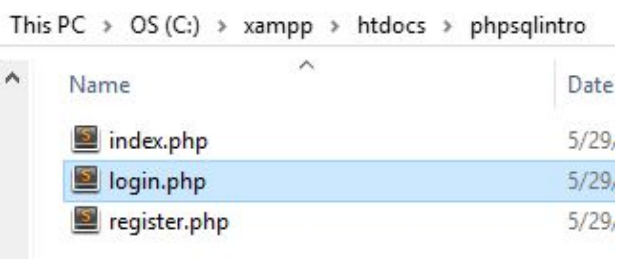
Create a new file called "login.php".
Similar to the register.php code.
<!DOCTYPE html>
<html>
<head>
<title>PHP/SQL Login Page</title>
</head>
<body>
<h2>Login Page</h2>
<a href="index.php">Click here to go back</a> <br> <br>
<form action="checklogin.php" method="post">
Enter Username: <input type="text" name="username" required="required">
Enter Password: <input type="password" name="password" required="required">
<input type="submit" value="Login"/>
</form>
</body>
</html>
<!DOCTYPE html>
<html>
  <head>
    <title>PHP/SQL Register Page</title>
  </head>

  <body>
    <h2>Registration Page</h2>
    <a href="index.php">Click here to go back</a> <br> <br>

  <form action="register.php" method="post">
    Enter Username: <input type="text" name="username" required="required">
    Enter Password: <input type="password" name="password" required="required">
    <input type="submit" value="Register"/>
  </form>

  </body>
</html>
<!DOCTYPE html>
<html>
  <head>
    <title>PHP/SQL Login Page</title>
  </head>
  <body>
    <?php
      echo "<p>Hello, World!</p>";
    ?>
    <a href="login.php">Click here to login</a>
    <a href="register.php">Click here to register</a>
  </body>
</html>
With the basic pages set up and ready to go, time to bring in the big one! This is a powerful tool
in the world of web development. Almost every website you know runs with some kind of SQL
database
What is a database? A database is rows and columns of information, and SQL (Structured Query
Language) gives you the ability to access and manipulate that database. This is used for creating
users on a website, storing items in an online shopping cart, creating more dynamic blogs, etc.
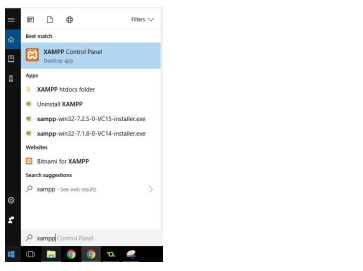
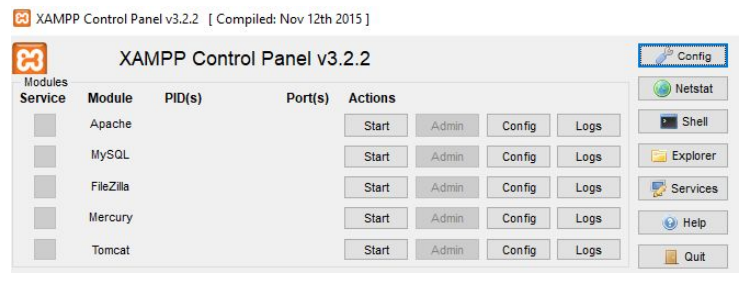
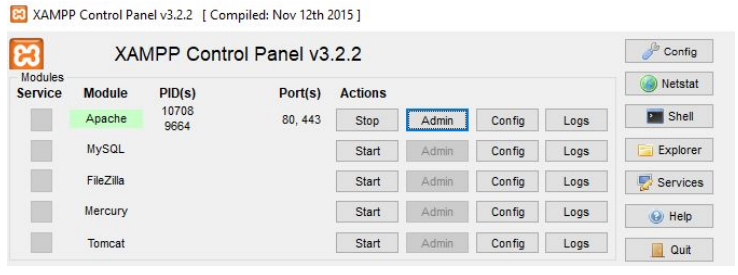
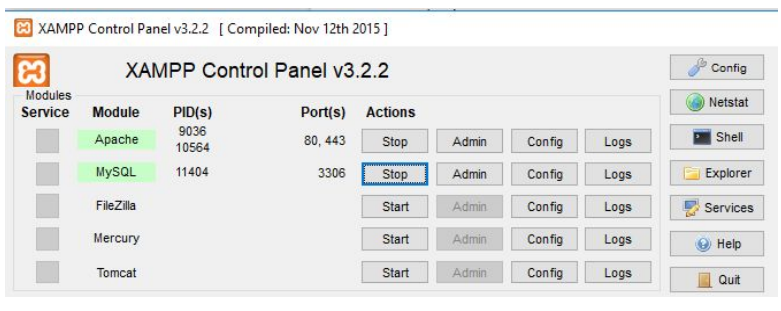
Remember when you started
your Apache server on
XAMPP? Now you need to start
your MySQL server.
(SQL is the language, while
MySQL is a database system
that uses SQL)
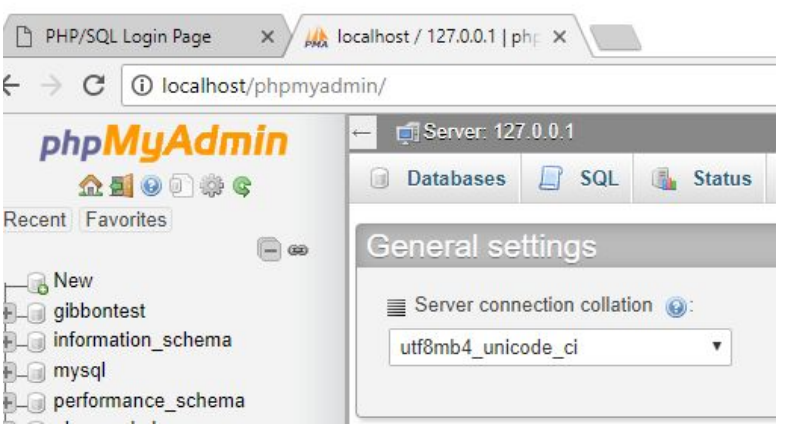
Now you're ready to create your
database! Go to
"localhost/phpmyadmin" and
you should see this screen.
PHPMyAdmin is an admin tool
for setting up various aspects of
your site (and in this case, our
SQL database).
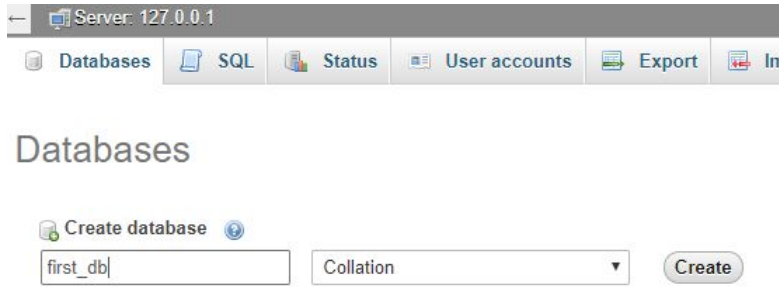
Click on the "Databases" tab on
the top and create a new
database called "first_db"
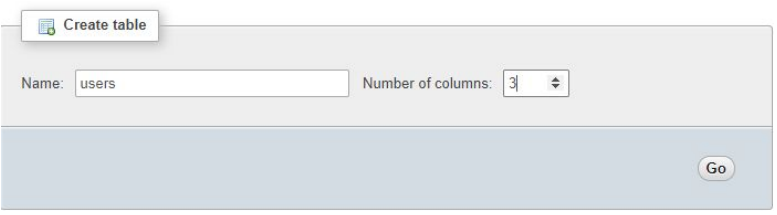
Add a new table called "users"
with 3 columns.
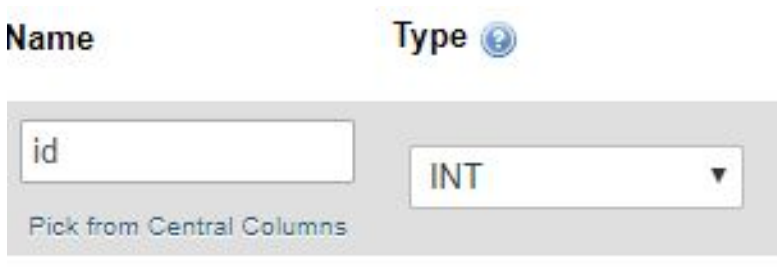
First column should be titled "id".
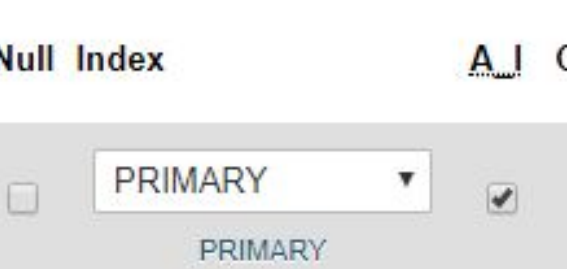
At the end of the column, tick
the "A.I" box. This makes sure
that the id is auto-incrementing.
In databases, this is very
important as it gives us a quick
numerical value for every entry.
It makes sorting through all the
entries simpler and easier to
write.
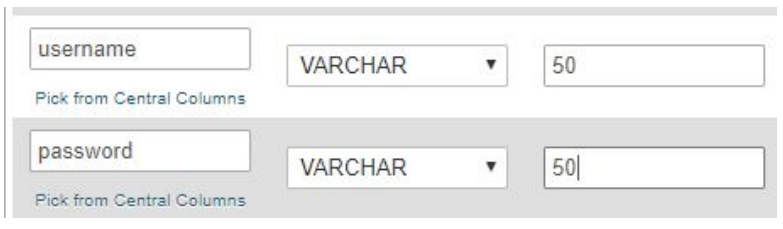
Create the columns for
"username" and "password".
Make sure that the type is
"varchar", this means that they
accept letters. Also make sure
that the value is set to 50.
Press the "save" button to finish this table.
Click here to create another
table for your database.
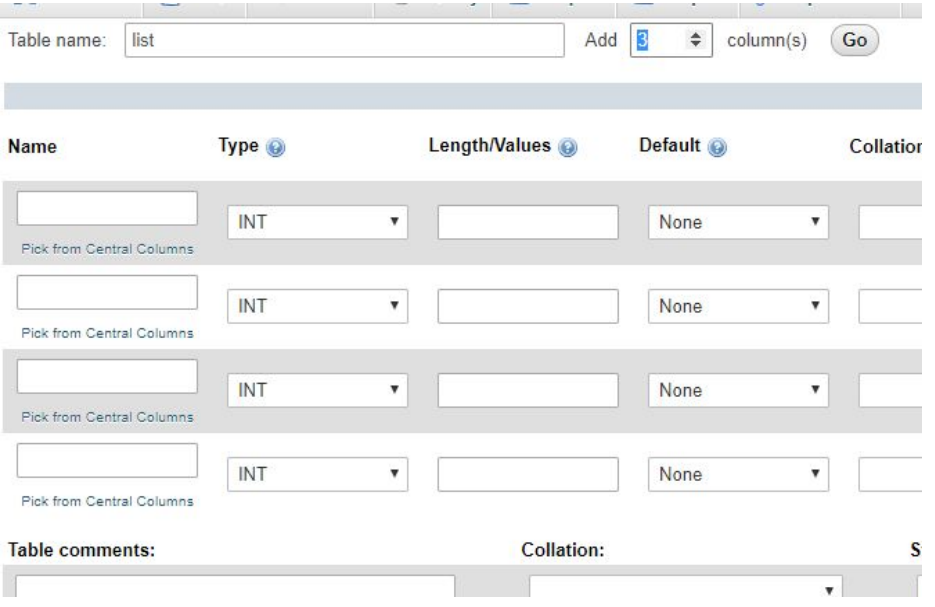
Create a new table titled "list"
This is going to be the list that
each user can make on their own
individual accounts.
We need 7 columns, notice how
it already starts with 4? So we
just have to add 3 more
columns.
Press the "save" button to finish this table.
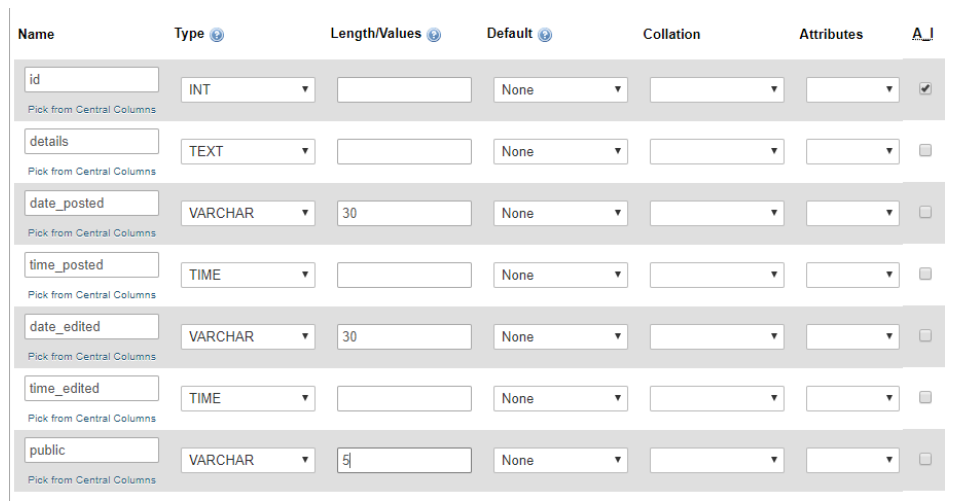
Fill in the seven columns with these values.
Remember to check that the "id"
is auto-incremented (A.I).
Pay close attention to your type
category, that you set it
correctly.
<!DOCTYPE html>
<html>
<head>
<title>PHP/SQL Register Page</title>
</head>
<body>
<h2>Registration Page</h2>
<a href="index.php">Click here to go back</a> <br> <br>
<form action="register.php" method="post">
Enter Username: <input type="text" name="username" required="required">
Enter Password: <input type="password" name="password" required="required">
<input type="submit" value="Register"/>
</form>
</body>
</html>
<?php
if($_SERVER["REQUEST_METHOD"] == "POST") {
// Create a connection with the database
$con = mysqli_connect("localhost","root","","first_db");
$username = mysqli_real_escape_string($con, $_POST['username']);
$password = mysqli_real_escape_string($con, $_POST['password']);
echo "Username entered is: <b>" . $username . "</b><br>";
echo "Password entered is: <b>" . $password . "</b>";
}
?>
<!DOCTYPE html>
<html>
  <head>
    <title>PHP/SQL Login Page</title>
  </head>

  <body>
    <h2>Login Page</h2>
    <a href="index.php">Click here to go back</a> <br> <br>

    <form action="checklogin.php" method="post">
      Enter Username: <input type="text" name="username" required="required">
      Enter Password: <input type="password" name="password" required="required">
      <input type="submit" value="Login"/>
    </form>

  </body>
</html>
<!DOCTYPE html>
<html>
<head>
<title>PHP/SQL Login Page</title>
</head>
<body>
<?php
echo "<p>Hello, World!</p>";
?>
<a href="login.php">Click here to login</a>
<a href="register.php">Click here to register</a>
</body>
</html>
A lot going on here, the basics is that "if($_SERVER['REQUEST_METHOD']" is checking
to see if the form has been submitted. Once it has, it creates a connection to the database you
created. Then it runs your data through a function that converts the input to a string (this way
hackers can't inject code into your site) and displays it.
The previous code will need to be rewritten slightly, but the following code will allow you to
create users for your database.
<!DOCTYPE html>
<html>
  <head>
    <title>PHP/SQL Register Page</title>
  </head>

  <body>
    <h2>Registration Page</h2>
    <a href="index.php">Click here to go back</a> <br> <br>

  <form action="register.php" method="post">
    Enter Username: <input type="text" name="username" required="required">
    Enter Password: <input type="password" name="password" required="required">
    <input type="submit" value="Register"/>
  </form>

  </body>
</html>
<?php
if($_SERVER["REQUEST_METHOD"] == "POST") {
// Create a connection with the database
$con = mysqli_connect("localhost","root","","first_db");
// Check connection
if(mysqli_connect_errno()) {
echo "Failed to connect to MySQL: " . mysqli_connect_error();
}
$username = mysqli_real_escape_string($con, $_POST['username']);
$password = mysqli_real_escape_string($con, $_POST['password']);
$bool = true;
$query = mysqli_query($con, "Select * from users");
while($row = mysqli_fetch_array($query)) {
$table_users = $row['username'];
if($username == $table_users) {
$bool = false;
Print '<script>alert("Username has been taken!");</script>';
Print '<script>window.location.assign("register.php")</script>';
}
}
if($bool) {
mysqli_query($con, "INSERT INTO users(username,password) VALUES ('$username', '$password')");
Print '<script>alert("Successfully Registered!");</script>';
Print '<script>window.location.assign("register.php")</script>';
}
}
?>
<!DOCTYPE html>
<html>
<head>
<title>PHP/SQL Login Page</title>
</head>
<body>
<h2>Login Page</h2>
<a href="index.php">Click here to go back</a> <br> <br>
<form action="checklogin.php" method="post">
Enter Username: <input type="text" name="username" required="required">
Enter Password: <input type="password" name="password" required="required">
<input type="submit" value="Login"/>
</form>
</body>
</html>
<!DOCTYPE html>
<html>
  <head>
    <title>PHP/SQL Login Page</title>
  </head>
  <body>
    <?php
      echo "<p>Hello, World!</p>";
    ?>
    <a href="login.php">Click here to login</a>
    <a href="register.php">Click here to register</a>
  </body>
</html>
A lot going on here:
mysqli_query() is a mysql function that is searching for data in your database by a certain
criteria. In this case… Everything from the user’s table. This is because we have to go through
every username in the database to check to make sure that a username isn’t taken (otherwise
we would be in trouble with users logging in).
mysqli_fetch_array() uses the query from the previous function to actually get data from the
database, and is then placed in a while() loop so that we can check each entry.
Print is just another form of echo.
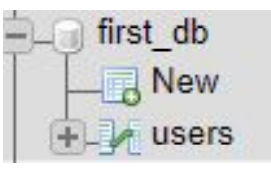
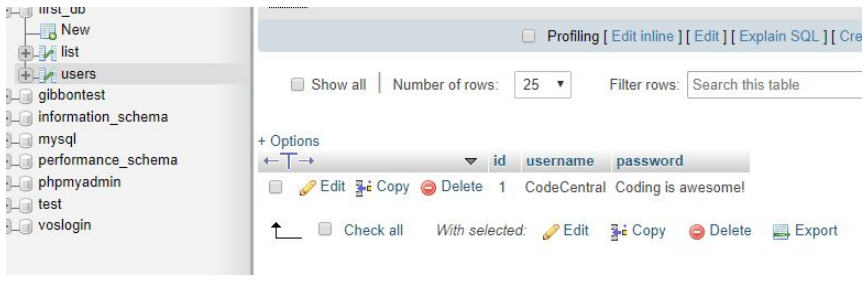
Going back to
PHPMyAdmin and
clicking on the "users"
table, you should be able
to see all created users
that you make
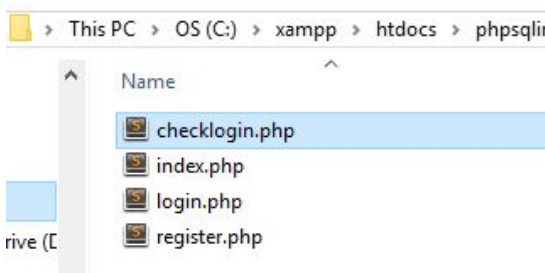
We have the ability to add users! Now we need the ability to log on as those users, for this we
need to create a php file for authenticating the login information they use put in the login page
Create a new php file called "checklogin.php".
<?php
session_start();
// Create a connection with the database
$con = mysqli_connect("localhost","root","","first_db");
// Check connection
if(mysqli_connect_errno()) {
echo "Failed to connect to MySQL: " . mysqli_connect_error();
}
$username = mysqli_real_escape_string($con, $_POST['username'])
$password = mysqli_real_escape_string($con, $_POST['password'])
// Check if the username exists
$query = mysqli_query($con, "SELECT * from users WHERE username = '$username'");
$exists = mysqli_num_rows($query);
$table_users = "";
$table_password = "";
if(exists > 0){ // If there is a username
while($row = mysqli_fetch_array($query)) { // Display all rows from Query
// Populate array with results
$table_users = $row['username'];
$table_password = $row['password'];
}
// Check array and see if matched username and password
if($username == $table_users && ($password == $table_password)) {
// Ser the session to the logged in user
$_SESSION['user'] = $username;
header("location:home.php");
} else {
Print '<script>alert("Incorrect Password!");</script>'
Print '<script>window.location.assign("login.php")</script>'
}
} else {
Print '<script>alert("Incorrect Username!");</script>'
Print '<script>window.location.assign("login.php")</script>'
}
?>
<!DOCTYPE html>
<html>
<head>
<title>PHP/SQL Register Page</title>
</head>
<body>
<h2>Registration Page</h2>
<a href="index.php">Click here to go back</a> <br> <br>
<form action="register.php" method="post">
Enter Username: <input type="text" name="username" required="required">
Enter Password: <input type="password" name="password" required="required">
<input type="submit" value="Register"/>
</form>
</body>
</html>
<?php
if($_SERVER["REQUEST_METHOD"] == "POST") {
// Create a connection with the database
$con = mysqli_connect("localhost","root","","first_db");
// Check connection
if(mysqli_connect_errno()) {
echo "Failed to connect to MySQL: " . mysqli_connect_error();
}
$username = mysqli_real_escape_string($con, $_POST['username']);
$password = mysqli_real_escape_string($con, $_POST['password']);
$bool = true;
$query = mysqli_query($con, "Select * from users");
while($row = mysqli_fetch_array($query)) {
$table_users = $row['username'];
if($username == $table_users) {
$bool = false;
Print '<script>alert("Username has been taken!");</script>';
Print '<script>window.location.assign("register.php")</script>';
}
}
if($bool) {
mysqli_query($con, "INSERT INTO users(username,password) VALUES ('$username', '$password')");
Print '<script>alert("Successfully Registered!");</script>';
Print '<script>window.location.assign("register.php")</script>';
}
}
?>
<!DOCTYPE html>
<html>
  <head>
    <title>PHP/SQL Login Page</title>
  </head>

  <body>
    <h2>Login Page</h2>
    <a href="index.php">Click here to go back</a> <br> <br>

    <form action="checklogin.php" method="post">
      Enter Username: <input type="text" name="username" required="required">
      Enter Password: <input type="password" name="password" required="required">
      <input type="submit" value="Login"/>
    </form>

  </body>
</html>
<!DOCTYPE html>
<html>
  <head>
    <title>PHP/SQL Login Page</title>
  </head>
  <body>
    <?php
      echo "<p>Hello, World!</p>";
    ?>
    <a href="login.php">Click here to login</a>
    <a href="register.php">Click here to register</a>
  </body>
</html>
session_start() Creating sessions is number
one to having a user logged in. Essentially
you're creating a new _SESSION variable
that will hold any information of who just
logged in on this computer (hence the reason
you will be able to navigate to other pages
while still logged in).
$_SESSION['user'] This is where you hold
the information of who is logged in.
Go to your
"localhost/yourwebfolder/login.php" and try
to login with whatever account you created. If
it takes you to an error page then you did
good! We haven't created the user's home
page yet.
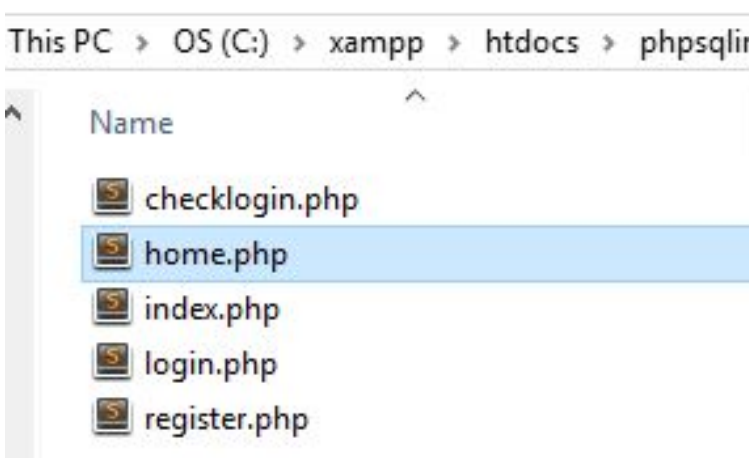
If you notice, when you login you get a "404" error. This is because the code is directing you to a
page that doesn't exist yet.
Create a new file called "home.php".
<!DOCTYPE html>
<html>
<head>
<title>PHP/SQL Home Page</title>
</head>
<?php
session_start();
// Check if logged in or not
if(!$_SESSION['user']) {
// If not logged in
header("location:index.php");
}
// Assign user value if logged in
$user = $_SESSION['user'];
?>
<body>
<h2>Home Page</h2>
<p>Hello <?php Print "$user" ?>!</p>
<a href="logout.php">Click here to logout</a> <br> <br>
<form action="add.php" method="post">
Add more to the list: <input name="details" value="text"> <br>
Public post? <input type="checkbox" name="public[]" value="yes">
<input type="submit" value="Add to list">
</form>
<h2 align="center">My List</h2>
<table border="1px" width="100%">
<tr>
<th>ID</th>
<th>Details</th>
<th>Edit</th>
<th>Delete</th>
</tr>
</table>
</body>
</html>
<?php
session_start();
// Create a connection with the database
$con = mysqli_connect("localhost","root","","first_db");
// Check connection
if(mysqli_connect_errno()) {
echo "Failed to connect to MySQL: " . mysqli_connect_error();
}
$username = mysqli_real_escape_string($con, $_POST['username'])
$password = mysqli_real_escape_string($con, $_POST['password'])
// Check if the username exists
$query = mysqli_query($con, "SELECT * from users WHERE username = '$username'");
$exists = mysqli_num_rows($query);
$table_users = "";
$table_password = "";
if(exists > 0){ // If there is a username
while($row = mysqli_fetch_array($query)) { // Display all rows from Query
// Populate array with results
$table_users = $row['username'];
$table_password = $row['password'];
}
// Check array and see if matched username and password
if($username == $table_users && ($password == $table_password)) {
// Ser the session to the logged in user
$_SESSION['user'] = $username;
header("location:home.php");
} else {
Print '<script>alert("Incorrect Password!");</script>'
Print '<script>window.location.assign("login.php")</script>'
}
} else {
Print '<script>alert("Incorrect Username!");</script>'
Print '<script>window.location.assign("login.php")</script>'
}
?>
<!DOCTYPE html>
<html>
  <head>
    <title>PHP/SQL Register Page</title>
  </head>

  <body>
    <h2>Registration Page</h2>
    <a href="index.php">Click here to go back</a> <br> <br>

  <form action="register.php" method="post">
    Enter Username: <input type="text" name="username" required="required">
    Enter Password: <input type="password" name="password" required="required">
    <input type="submit" value="Register"/>
  </form>

  </body>
</html>

<?php
  if($_SERVER["REQUEST_METHOD"] == "POST") {

    // Create a connection with the database
    $con = mysqli_connect("localhost","root","","first_db");

    // Check connection
    if(mysqli_connect_errno()) {
      echo "Failed to connect to MySQL: " . mysqli_connect_error();
    }

    $username = mysqli_real_escape_string($con, $_POST['username']);
    $password = mysqli_real_escape_string($con, $_POST['password']);

    $bool = true;

    $query = mysqli_query($con, "Select * from users");
    while($row = mysqli_fetch_array($query)) {
      $table_users = $row['username'];
      if($username == $table_users) {
        $bool = false;
        Print '<script>alert("Username has been taken!");</script>';
        Print '<script>window.location.assign("register.php")</script>';
      }
    }

    if($bool) {
      mysqli_query($con, "INSERT INTO users(username,password) VALUES ('$username', '$password')");
      Print '<script>alert("Successfully Registered!");</script>';
      Print '<script>window.location.assign("register.php")</script>';
    }
  }
?>
<!DOCTYPE html>
<html>
  <head>
    <title>PHP/SQL Login Page</title>
  </head>

  <body>
    <h2>Login Page</h2>
    <a href="index.php">Click here to go back</a> <br> <br>

    <form action="checklogin.php" method="post">
      Enter Username: <input type="text" name="username" required="required">
      Enter Password: <input type="password" name="password" required="required">
      <input type="submit" value="Login"/>
    </form>

  </body>
</html>
<!DOCTYPE html>
<html>
  <head>
    <title>PHP/SQL Login Page</title>
  </head>
  <body>
    <?php
      echo "<p>Hello, World!</p>";
    ?>
    <a href="login.php">Click here to login</a>
    <a href="register.php">Click here to register</a>
  </body>
</html>
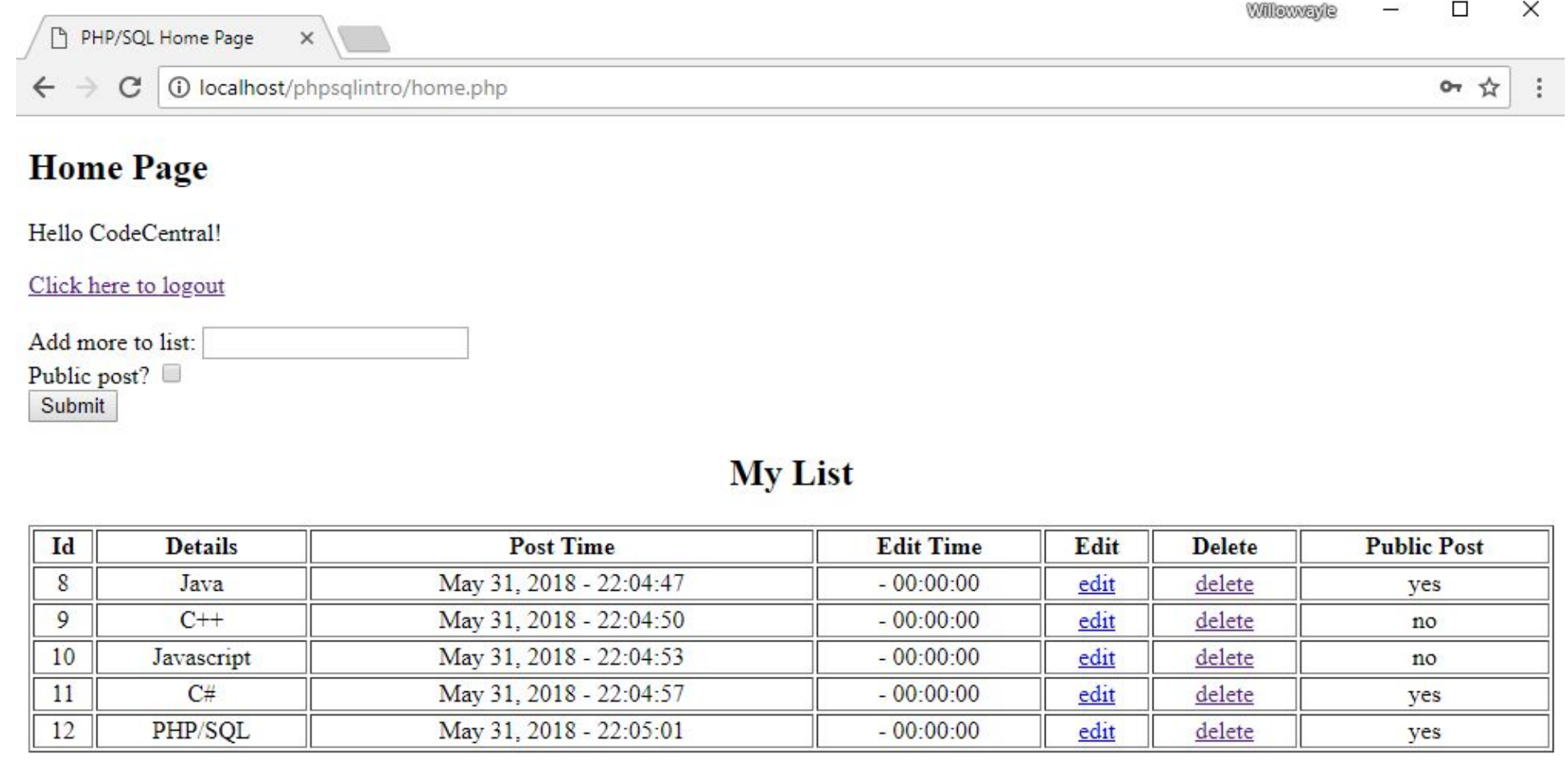
You should be able to login and see this page.
Notice how it even says hello to your
username? Isn’t that cool???
Most of this should be code you've seen before. The session_start() will be needed anywhere
where you need to know the user who's logged in (in most sites that is everywhere. You
always want to be checking when a user is logged in, otherwise users can get into places they
shouldn't.
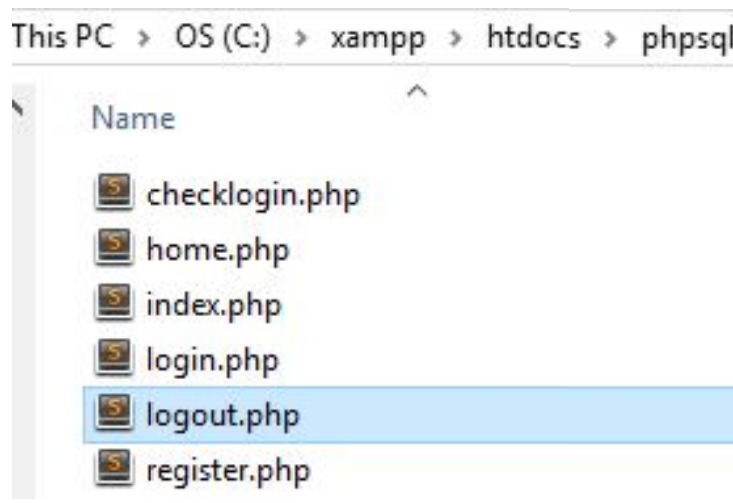
Create a new file called "logout.php", we
need this to end the session and logout the
user.
<!DOCTYPE html>
<html>
<head>
<title>PHP/SQL Home Page</title>
</head>
<?php
session_start();
// Check if logged in or not
if(!$_SESSION['user']) {
// If not logged in
header("location:index.php");
}
// Assign user value if logged in
$user = $_SESSION['user'];
?>
<body>
<h2>Home Page</h2>
<p>Hello <?php Print "$user" ?>!</p>
<a href="logout.php">Click here to logout</a> <br> <br>
<form action="add.php" method="post">
Add more to the list: <input name="details" value="text"> <br>
Public post? <input type="checkbox" name="public[]" value="yes">
<input type="submit" value="Add to list">
</form>
<h2 align="center">My List</h2>
<table border="1px" width="100%">
<tr>
<th>ID</th>
<th>Details</th>
<th>Edit</th>
<th>Delete</th>
</tr>
</table>
</body>
</html>
<?php
  session_start();

  // Create a connection with the database
  $con = mysqli_connect("localhost","root","","first_db");

  // Check connection
  if(mysqli_connect_errno()) {
    echo "Failed to connect to MySQL: " . mysqli_connect_error();
  }

  $username = mysqli_real_escape_string($con, $_POST['username'])
  $password = mysqli_real_escape_string($con, $_POST['password'])

  // Check if the username exists
  $query = mysqli_query($con, "SELECT * from users WHERE username = '$username'");
  $exists = mysqli_num_rows($query);

  $table_users = "";
  $table_password = "";

  if(exists > 0){ // If there is a username
    while($row = mysqli_fetch_array($query)) { // Display all rows from Query
      // Populate array with results
      $table_users = $row['username'];
      $table_password = $row['password'];
    }

    // Check array and see if matched username and password
    if($username == $table_users && ($password == $table_password)) {
      // Ser the session to the logged in user
      $_SESSION['user'] = $username;
      header("location:home.php");
    } else {
      Print '<script>alert("Incorrect Password!");</script>'
      Print '<script>window.location.assign("login.php")</script>'
    }

  } else {
    Print '<script>alert("Incorrect Username!");</script>'
    Print '<script>window.location.assign("login.php")</script>'
  }

?>
<!DOCTYPE html>
<html>
  <head>
    <title>PHP/SQL Register Page</title>
  </head>

  <body>
    <h2>Registration Page</h2>
    <a href="index.php">Click here to go back</a> <br> <br>

  <form action="register.php" method="post">
    Enter Username: <input type="text" name="username" required="required">
    Enter Password: <input type="password" name="password" required="required">
    <input type="submit" value="Register"/>
  </form>

  </body>
</html>

<?php
  if($_SERVER["REQUEST_METHOD"] == "POST") {

    // Create a connection with the database
    $con = mysqli_connect("localhost","root","","first_db");

    // Check connection
    if(mysqli_connect_errno()) {
      echo "Failed to connect to MySQL: " . mysqli_connect_error();
    }

    $username = mysqli_real_escape_string($con, $_POST['username']);
    $password = mysqli_real_escape_string($con, $_POST['password']);

    $bool = true;

    $query = mysqli_query($con, "Select * from users");
    while($row = mysqli_fetch_array($query)) {
      $table_users = $row['username'];
      if($username == $table_users) {
        $bool = false;
        Print '<script>alert("Username has been taken!");</script>';
        Print '<script>window.location.assign("register.php")</script>';
      }
    }

    if($bool) {
      mysqli_query($con, "INSERT INTO users(username,password) VALUES ('$username', '$password')");
      Print '<script>alert("Successfully Registered!");</script>';
      Print '<script>window.location.assign("register.php")</script>';
    }
  }
?>
<!DOCTYPE html>
<html>
  <head>
    <title>PHP/SQL Login Page</title>
  </head>

  <body>
    <h2>Login Page</h2>
    <a href="index.php">Click here to go back</a> <br> <br>

    <form action="checklogin.php" method="post">
      Enter Username: <input type="text" name="username" required="required">
      Enter Password: <input type="password" name="password" required="required">
      <input type="submit" value="Login"/>
    </form>

  </body>
</html>
<!DOCTYPE html>
<html>
  <head>
    <title>PHP/SQL Login Page</title>
  </head>
  <body>
    <?php
      echo "<p>Hello, World!</p>";
    ?>
    <a href="login.php">Click here to login</a>
    <a href="register.php">Click here to register</a>
  </body>
</html>
Pretty straightforward. This code opens the
session with session_start() and then ends it
with session_destroy(). The user is logged out
and you can login with a new user. Go ahead
and try it!
We can create users, log them in, and see a page that says to them. Now let's add in one more
thing. We are going to add in a list that has public and private items. Logged in users can see the
private, while everyone can see the public.
<!DOCTYPE html>
<html>
  <head>
    <title>PHP/SQL Home Page</title>
  </head>

  <?php
    session_start();
    // Check if logged in or not
    if(!$_SESSION['user']) {
      // If not logged in
      header("location:index.php");
    }
    // Assign user value if logged in
    $user = $_SESSION['user'];
  ?>

  <body>

    <h2>Home Page</h2>
    <p>Hello <?php Print "$user" ?>!</p>

    <a href="logout.php">Click here to logout</a> <br> <br>
    <form action="add.php" method="post">
      Add more to the list: <input name="details" value="text"> <br>
      Public post? <input type="checkbox" name="public[]" value="yes">
      <input type="submit" value="Add to list">
    </form>

    <h2 align="center">My List</h2>
    <table border="1px" width="100%">
      <tr>
        <th>ID</th>
        <th>Details</th>
        <th>Edit</th>
        <th>Delete</th>
      </tr>
    </table>
  </body>
</html>
<?php
session_start();

// Create a connection with the database
$con = mysqli_connect("localhost","root","","first_db");

// Check connection
if(mysqli_connect_errno()) {
  echo "Failed to connect to MySQL: " . mysqli_connect_error();
}

$username = mysqli_real_escape_string($con, $_POST['username'])
$password = mysqli_real_escape_string($con, $_POST['password'])

// Check if the username exists
$query = mysqli_query($con, "SELECT * from users WHERE username = '$username'");
$exists = mysqli_num_rows($query);

$table_users = "";
$table_password = "";

if(exists > 0){ // If there is a username
  while($row = mysqli_fetch_array($query)) { // Display all rows from Query
    // Populate array with results
    $table_users = $row['username'];
    $table_password = $row['password'];
  }

  // Check array and see if matched username and password
  if($username == $table_users && ($password == $table_password)) {
    // Ser the session to the logged in user
    $_SESSION['user'] = $username;
    header("location:home.php");
  } else {
    Print '<script>alert("Incorrect Password!");</script>'
    Print '<script>window.location.assign("login.php")</script>'
  }

} else {
  Print '<script>alert("Incorrect Username!");</script>'
  Print '<script>window.location.assign("login.php")</script>'
}

?>
<!DOCTYPE html>
<html>
<head>
  <title>PHP/SQL Register Page</title>
</head>

<body>
  <h2>Registration Page</h2>
  <a href="index.php">Click here to go back</a> <br> <br>

<form action="register.php" method="post">
  Enter Username: <input type="text" name="username" required="required">
  Enter Password: <input type="password" name="password" required="required">
  <input type="submit" value="Register"/>
</form>

</body>
</html>

<?php
if($_SERVER["REQUEST_METHOD"] == "POST") {

  // Create a connection with the database
  $con = mysqli_connect("localhost","root","","first_db");

  // Check connection
  if(mysqli_connect_errno()) {
    echo "Failed to connect to MySQL: " . mysqli_connect_error();
  }

  $username = mysqli_real_escape_string($con, $_POST['username']);
  $password = mysqli_real_escape_string($con, $_POST['password']);

  $bool = true;

  $query = mysqli_query($con, "Select * from users");
  while($row = mysqli_fetch_array($query)) {
    $table_users = $row['username'];
    if($username == $table_users) {
      $bool = false;
      Print '<script>alert("Username has been taken!");</script>';
      Print '<script>window.location.assign("register.php")</script>';
    }
  }

  if($bool) {
    mysqli_query($con, "INSERT INTO users(username,password) VALUES ('$username', '$password')");
    Print '<script>alert("Successfully Registered!");</script>';
    Print '<script>window.location.assign("register.php")</script>';
  }
}
?>
<!DOCTYPE html>
<html>
<head>
  <title>PHP/SQL Login Page</title>
</head>

<body>
  <h2>Login Page</h2>
  <a href="index.php">Click here to go back</a> <br> <br>

  <form action="checklogin.php" method="post">
    Enter Username: <input type="text" name="username" required="required">
    Enter Password: <input type="password" name="password" required="required">
    <input type="submit" value="Login"/>
  </form>

</body>
</html>
<!DOCTYPE html>
<html>
<head>
  <title>PHP/SQL Login Page</title>
</head>
<body>
  <?php
    echo "<p>Hello, World!</p>";
  ?>
  <a href="login.php">Click here to login</a>
  <a href="register.php">Click here to register</a>
</body>
</html>
Alter the "add.php" to the following… This will create an SQL query to insert the values into
your table. Notice the if(isset($_POST['public']){}, this is because we created the checkbox as
an array in the form in your "home.php". Without this conditional, our loop would sometimes
loop through an empty array if you don’t select the checkbox.
<?php
session_start();
if(!$_SESSION['user']) {
header("location:index.php");
}
// Only add if the request is secure
if($_SERVER['REQUEST_METHOD'] == "POST") {
$con = mysqli_connect("localhost", "root", "", "first_db");
$details = mysqli_real_escape_string($con, $_POST['details']);
$time = strfrime("%X");
$date = strfrime("%B %d, %Y");
$decision = "no";
// Gets the data form the check box to see if it was checked
if(isset($_POST['public'])) {
$checkboxes = $_POST['public'];
} else {
$checkboxes = array();
}
foreach($checkboxes as $each_check) {
if($each_check != null) {
$decision = "yes"; // Yes this will be public
}
}
mysqli_query($con, "INSERT INTO list (details, date_posted, time_posted, public)
VALUES ('$details', '$date', '$time', '$decision')");
header("location:home.php");
} else {
header("location:home.php");
}
?>
<!DOCTYPE html>
<html>
  <head>
    <title>PHP/SQL Home Page</title>
  </head>

  <?php
    session_start();
    // Check if logged in or not
    if(!$_SESSION['user']) {
      // If not logged in
      header("location:index.php");
    }
    // Assign user value if logged in
    $user = $_SESSION['user'];
  ?>

  <body>

    <h2>Home Page</h2>
    <p>Hello <?php Print "$user" ?>!</p>

    <a href="logout.php">Click here to logout</a> <br> <br>
    <form action="add.php" method="post">
      Add more to the list: <input name="details" value="text"> <br>
      Public post? <input type="checkbox" name="public[]" value="yes">
      <input type="submit" value="Add to list">
    </form>

    <h2 align="center">My List</h2>
    <table border="1px" width="100%">
      <tr>
        <th>ID</th>
        <th>Details</th>
        <th>Edit</th>
        <th>Delete</th>
      </tr>
    </table>
  </body>
</html>
<?php
  session_start();

  // Create a connection with the database
  $con = mysqli_connect("localhost","root","","first_db");

  // Check connection
  if(mysqli_connect_errno()) {
    echo "Failed to connect to MySQL: " . mysqli_connect_error();
  }

  $username = mysqli_real_escape_string($con, $_POST['username'])
  $password = mysqli_real_escape_string($con, $_POST['password'])

  // Check if the username exists
  $query = mysqli_query($con, "SELECT * from users WHERE username = '$username'");
  $exists = mysqli_num_rows($query);

  $table_users = "";
  $table_password = "";

if(exists > 0){ // If there is a username
  while($row = mysqli_fetch_array($query)) { // Display all rows from Query
    // Populate array with results
    $table_users = $row['username'];
    $table_password = $row['password'];
  }

  // Check array and see if matched username and password
  if($username == $table_users && ($password == $table_password)) {
    // Ser the session to the logged in user
    $_SESSION['user'] = $username;
    header("location:home.php");
  } else {
    Print '<script>alert("Incorrect Password!");</script>'
    Print '<script>window.location.assign("login.php")</script>'
  }

} else {
  Print '<script>alert("Incorrect Username!");</script>'
  Print '<script>window.location.assign("login.php")</script>'
}

?>
<!DOCTYPE html>
<html>
<head>
  <title>PHP/SQL Register Page</title>
</head>

<body>
  <h2>Registration Page</h2>
  <a href="index.php">Click here to go back</a> <br> <br>

<form action="register.php" method="post">
  Enter Username: <input type="text" name="username" required="required">
  Enter Password: <input type="password" name="password" required="required">
  <input type="submit" value="Register"/>
</form>

</body>
</html>

<?php
if($_SERVER["REQUEST_METHOD"] == "POST") {

  // Create a connection with the database
  $con = mysqli_connect("localhost","root","","first_db");

  // Check connection
  if(mysqli_connect_errno()) {
    echo "Failed to connect to MySQL: " . mysqli_connect_error();
  }

  $username = mysqli_real_escape_string($con, $_POST['username']);
  $password = mysqli_real_escape_string($con, $_POST['password']);

  $bool = true;

  $query = mysqli_query($con, "Select * from users");
  while($row = mysqli_fetch_array($query)) {
    $table_users = $row['username'];
    if($username == $table_users) {
      $bool = false;
      Print '<script>alert("Username has been taken!");</script>';
      Print '<script>window.location.assign("register.php")</script>';
    }
  }

  if($bool) {
    mysqli_query($con, "INSERT INTO users(username,password) VALUES ('$username', '$password')");
    Print '<script>alert("Successfully Registered!");</script>';
    Print '<script>window.location.assign("register.php")</script>';
  }
}
?>
<!DOCTYPE html>
<html>
<head>
  <title>PHP/SQL Login Page</title>
</head>

<body>
  <h2>Login Page</h2>
  <a href="index.php">Click here to go back</a> <br> <br>

  <form action="checklogin.php" method="post">
    Enter Username: <input type="text" name="username" required="required">
    Enter Password: <input type="password" name="password" required="required">
    <input type="submit" value="Login"/>
  </form>

</body>
</html>
<!DOCTYPE html>
<html>
<head>
  <title>PHP/SQL Login Page</title>
</head>
<body>
  <?php
    echo "<p>Hello, World!</p>";
  ?>
  <a href="login.php">Click here to login</a>
  <a href="register.php">Click here to register</a>
</body>
</html>
<?php
  session_start();

  // Create a connection with the database
  $con = mysqli_connect("localhost","root","","first_db");

  // Check connection
  if(mysqli_connect_errno()) {
    echo "Failed to connect to MySQL: " . mysqli_connect_error();
  }

  $username = mysqli_real_escape_string($con, $_POST['username'])
  $password = mysqli_real_escape_string($con, $_POST['password'])

  // Check if the username exists
  $query = mysqli_query($con, "SELECT * from users WHERE username = '$username'");
  $exists = mysqli_num_rows($query);

  $table_users = "";
  $table_password = "";

  if(exists > 0){ // If there is a username
    while($row = mysqli_fetch_array($query)) { // Display all rows from Query
      // Populate array with results
      $table_users = $row['username'];
      $table_password = $row['password'];
    }

    // Check array and see if matched username and password
    if($username == $table_users && ($password == $table_password)) {
      // Ser the session to the logged in user
      $_SESSION['user'] = $username;
      header("location:home.php");
    } else {
      Print '<script>alert("Incorrect Password!");</script>'
      Print '<script>window.location.assign("login.php")</script>'
    }

  } else {
    Print '<script>alert("Incorrect Username!");</script>'
    Print '<script>window.location.assign("login.php")</script>'
  }

?>
<!DOCTYPE html>
<html>
  <head>
    <title>PHP/SQL Register Page</title>
  </head>

  <body>
  <h2>Registration Page</h2>
  <a href="index.php">Click here to go back</a> <br> <br>

  <form action="register.php" method="post">
    Enter Username: <input type="text" name="username" required="required">
    Enter Password: <input type="password" name="password" required="required">
    <input type="submit" value="Register"/>
  </form>

  </body>
</html>

<?php
  if($_SERVER["REQUEST_METHOD"] == "POST") {

    // Create a connection with the database
    $con = mysqli_connect("localhost","root","","first_db");

    // Check connection
    if(mysqli_connect_errno()) {
      echo "Failed to connect to MySQL: " . mysqli_connect_error();
    }

    $username = mysqli_real_escape_string($con, $_POST['username']);
    $password = mysqli_real_escape_string($con, $_POST['password']);

    $bool = true;

    $query = mysqli_query($con, "Select * from users");
    while($row = mysqli_fetch_array($query)) {
      $table_users = $row['username'];
      if($username == $table_users) {
        $bool = false;
        Print '<script>alert("Username has been taken!");</script>';
        Print '<script>window.location.assign("register.php")</script>';
      }
    }

    if($bool) {
      mysqli_query($con, "INSERT INTO users(username,password) VALUES ('$username', '$password')");
      Print '<script>alert("Successfully Registered!");</script>';
      Print '<script>window.location.assign("register.php")</script>';
    }
  }
?>
<!DOCTYPE html>
<html>
  <head>
    <title>PHP/SQL Login Page</title>
  </head>

  <body>
  <h2>Login Page</h2>
  <a href="index.php">Click here to go back</a> <br> <br>

  <form action="checklogin.php" method="post">
    Enter Username: <input type="text" name="username" required="required">
    Enter Password: <input type="password" name="password" required="required">
    <input type="submit" value="Login"/>
  </form>

  </body>
</html>
<!DOCTYPE html>
<html>
  <head>
    <title>PHP/SQL Login Page</title>
  </head>
  <body>
    <?php
      echo "<p>Hello, World!</p>";
    ?>
    <a href="login.php">Click here to login</a>
    <a href="register.php">Click here to register</a>
  </body>
</html>
We altered the <table</table> tags in the home page to query and retrieve the values from the
list table. We then looped through all the results and added them to the home page for logged
in users to see.
We can add data to the table, but what if you made a mistake? We are going to explore how to
use GET (this entire time we’ve been using POST) to edit this data.
Edit the two table values for "edit" and "delete" in "home.php". Remember how get grabs
values and passes them into the URL? Keep that in mind, it will become relevant soon.
Create a new file called "edit.php"
The "edit.php" is very similar to the home
page, and this is because it is supposed to!
What this page is doing is acting as a way
to edit the list that you were planning to
edit, hence the reason we did a GET
request. We are passing the value through
the URL to be given to the edit page.
<!DOCTYPE html>
<html>
<head>
<title>PHP/SQL Home Page</title>
</head>
<?php
session_start();
// Check if logged in or not
if(!$_SESSION['user']) {
// If not logged in
header("location:index.php");
}
// Assign user value if logged in
$user = $_SESSION['user'];
?>
<body>
<h2>Home Page</h2>
<p>Hello <?php Print "$user" ?>!</p>
<a href="logout.php">Click here to logout</a> <br> <br>
<a href="home.php">Return to Home Page</a> <br> <br>
<h2>Currently Selected</h2>
<h2 align="center">My List</h2>
<table border="1px" width="100%">
<tr>
<th>ID</th>
<th>Details</th>
<th>Post Time</th>
<th>Post Time</th>
<th>Public Host</th>
</tr>
<?php
if(!empty($_GET['id'])){
$id = $_GET['id'];
$_SESSION['id'] = $id;
$id_exists = true;
$con = mysqli_connect("localhost", "root", "", "first_db");
$query = mysqli_query($con, "Select * from list");
$count = mysqli_num_rows($query);
if($count > 0){
while($row = mysqli_fetch_array($query)) {
Print "<tr>"
Print '<td align="center">' . $row['id'] . "</td>";
Print '<td align="center">' . $row['details'] . "</td>";
Print '<td align="center">' . $row['date_posted'] . " - " . $row['time_posted'] . "</td>";
Print '<td align="center">' . $row['date_edited'] . " - " . $row['time_edited'] . "</td>";
Print '<td align="center">' . $row['public'] . "</td>";
Print "</tr>"
}
} else {
$id_exists = false;
}
}
?>
</table>
<br>
<?php
if($id_exists) {
Print `
<form action="add.php" method="post">
Add more to the list: <input name="details" value="text"> <br>
Public post? <input type="checkbox" name="public[]" value="yes">
<input type="submit" value="Add to list">
</form>
`;
} else {
Print '<h2 align="center">There is no data to be edited.</h2>';
}
?>
</body>
</html>
<?php
if($_SERVER['REQUEST_METHOD'] == "POST") {
$con = mysqli_connect("localhost", "root", "", "first_db");
$details = mysqli_real_escape_string($con, $_POST['details']);
$public = "no";
$id = $_SESSION['id'];
$time = strfrime("%X");
$date = strfrime("%B %d, %Y");
// Gets the data form the check box to see if it was checked
if(isset($_POST['public'])) {
$checkboxes = $_POST['public'];
} else {
$checkboxes = array();
}
foreach($checkboxes as $list) {
if($list != null) {
$public = "yes"; // Yes this will be public
}
}
mysqli_query($con, "UPDATE list SET details='$details', public='$public', date_edited='$date', time_edited='$time' WHERE id='$id'");
header("location:home.php");
}
?>
<!DOCTYPE html>
<html>
<head>
<title>PHP/SQL Home Page</title>
</head>
<?php
session_start();
// Check if logged in or not
if(!$_SESSION['user']) {
// If not logged in
header("location:index.php");
}
// Assign user value if logged in
$user = $_SESSION['user'];
?>
<body>
<h2>Home Page</h2>
<p>Hello <?php Print "$user" ?>!</p>
<a href="logout.php">Click here to logout</a> <br> <br>
<form action="add.php" method="post">
Add more to the list: <input name="details" value="text"> <br>
Public post? <input type="checkbox" name="public[]" value="yes">
<input type="submit" value="Add to list">
</form>
<h2 align="center">My List</h2>
<table border="1px" width="100%">
<tr>
<th>ID</th>
<th>Details</th>
<th>Post Time</th>
<th>Post Time</th>
<th>Edit</th>
<th>Delete</th>
<th>Public Host</th>
</tr>
<!-- User Data -->
<?php
$con = mysqli_connect("localhost", "root", "", "first_db");
$query = mysqli_query($con, "Select * from users");
while($row = mysqli_fetch_array($query)) {
Print "<tr>"
Print '<td align="center">' . $row['id'] . "</td>";
Print '<td align="center">' . $row['details'] . "</td>";
Print '<td align="center">' . $row['date_posted'] . " - " . $row['time_posted'] . "</td>";
Print '<td align="center">' . $row['date_edited'] . " - " . $row['time_edited'] . "</td>";
Print '<td align="center"><a href="edit.php">edit</a></td>';
Print '<td align="center"><a href="delete.php">delete</a></td>';
Print '<td align="center">' . $row['public'] . "</td>";
Print "</tr>"
}
?>
</table>
</body>
</html>
<?php
  session_start();
  if(!$_SESSION['user']) {
    header("location:index.php");
  }

  // Only add if the request is secure
  if($_SERVER['REQUEST_METHOD'] == "POST") {
    $con = mysqli_connect("localhost", "root", "", "first_db");
    $details = mysqli_real_escape_string($con, $_POST['details']);
    $time = strfrime("%X");
    $date = strfrime("%B %d, %Y");
    $decision = "no";

    // Gets the data form the check box to see if it was checked
    if(isset($_POST['public'])) {
      $checkboxes = $_POST['public'];
    } else {
      $checkboxes = array();
    }

    foreach($checkboxes as $each_check) {
      if($each_check != null) {
        $decision = "yes"; // Yes this will be public
      }
    }

    mysqli_query($con, "INSERT INTO list (details, date_posted, time_posted, public)
                    VALUES ('$details', '$date', '$time', '$decision')");
    header("location:home.php");
  } else {
    header("location:home.php");
  }
?>
<?php
session_start();
// Create a connection with the database
$con = mysqli_connect("localhost","root","","first_db");
// Check connection
if(mysqli_connect_errno()) {
echo "Failed to connect to MySQL: " . mysqli_connect_error();
}
$username = mysqli_real_escape_string($con, $_POST['username'])
$password = mysqli_real_escape_string($con, $_POST['password'])
// Check if the username exists
$query = mysqli_query($con, "SELECT * from users WHERE username = '$username'");
$exists = mysqli_num_rows($query);
$table_users = "";
$table_password = "";
if(exists > 0){ // If there is a username
while($row = mysqli_fetch_array($query)) { // Display all rows from Query
// Populate array with results
$table_users = $row['username'];
$table_password = $row['password'];
}
// Check array and see if matched username and password
if($username == $table_users && ($password == $table_password)) {
// Ser the session to the logged in user
$_SESSION['user'] = $username;
header("location: home.php");
} else {
Print '<script>alert("Incorrect Password!");</script>'
Print '<script>window.location.assign("login.php")</script>'
}
} else {
Print '<script>alert("Incorrect Username!");</script>'
Print '<script>window.location.assign("login.php")</script>'
}
?>
<!DOCTYPE html>
<html>
  <head>
    <title>PHP/SQL Register Page</title>
  </head>

  <body>
  <h2>Registration Page</h2>
  <a href="index.php">Click here to go back</a> <br> <br>

  <form action="register.php" method="post">
    Enter Username: <input type="text" name="username" required="required">
    Enter Password: <input type="password" name="password" required="required">
    <input type="submit" value="Register"/>
  </form>

  </body>
</html>

<?php
  if($_SERVER["REQUEST_METHOD"] == "POST") {

    // Create a connection with the database
    $con = mysqli_connect("localhost","root","","first_db");

    // Check connection
    if(mysqli_connect_errno()) {
      echo "Failed to connect to MySQL: " . mysqli_connect_error();
    }

    $username = mysqli_real_escape_string($con, $_POST['username']);
    $password = mysqli_real_escape_string($con, $_POST['password']);

    $bool = true;

    $query = mysqli_query($con, "Select * from users");
    while($row = mysqli_fetch_array($query)) {
      $table_users = $row['username'];
      if($username == $table_users) {
        $bool = false;
        Print '<script>alert("Username has been taken!");</script>';
        Print '<script>window.location.assign("register.php")</script>';
      }
    }

    if($bool) {
      mysqli_query($con, "INSERT INTO users(username,password) VALUES ('$username', '$password')");
      Print '<script>alert("Successfully Registered!");</script>';
      Print '<script>window.location.assign("register.php")</script>';
    }
  }
?>
<!DOCTYPE html>
<html>
  <head>
    <title>PHP/SQL Login Page</title>
  </head>

  <body>
  <h2>Login Page</h2>
  <a href="index.php">Click here to go back</a> <br> <br>

  <form action="checklogin.php" method="post">
    Enter Username: <input type="text" name="username" required="required">
    Enter Password: <input type="password" name="password" required="required">
    <input type="submit" value="Login"/>
  </form>

  </body>
</html>
<!DOCTYPE html>
<html>
  <head>
    <title>PHP/SQL Login Page</title>
  </head>
  <body>
    <?php
      echo "<p>Hello, World!</p>";
    ?>
    <a href="login.php">Click here to login</a>
    <a href="register.php">Click here to register</a>
  </body>
</html>
if($_SERVER["REQUEST_METHOD"] == "POST"
Is a conditional that is triggered when a
form is submitting through POST (Not
GET because we are directly accessing
the database and that could cause security
issues).
We have the ability to edit our data, but what if we just want to delete it? We are going to have
the "delete" button be pressed and then have a javascript function to prompt the user to make
sure they do in fact want to delete a record.
Change your table data for
"delete" and add the following
script underneath your table.
<!DOCTYPE html>
<html>
<head>
<title>PHP/SQL Home Page</title>
</head>
<?php
session_start();
// Check if logged in or not
if(!$_SESSION['user']) {
// If not logged in
header("location:index.php");
}
// Assign user value if logged in
$user = $_SESSION['user'];
?>
<body>
<h2>Home Page</h2>
<p>Hello <?php Print "$user" ?>!</p>
<a href="logout.php">Click here to logout</a> <br> <br>
<form action="add.php" method="post">
Add more to the list: <input name="details" value="text"> <br>
Public post? <input type="checkbox" name="public[]" value="yes">
<input type="submit" value="Add to list">
</form>
<h2 align="center">My List</h2>
<table border="1px" width="100%">
<tr>
<th>ID</th>
<th>Details</th>
<th>Post Time</th>
<th>Post Time</th>
<th>Edit</th>
<th>Delete</th>
<th>Public Host</th>
</tr>
<!-- User Data -->
<?php
$con = mysqli_connect("localhost", "root", "", "first_db");
$query = mysqli_query($con, "Select * from users");
while($row = mysqli_fetch_array($query)) {
Print "<tr>"
Print '<td align="center">' . $row['id'] . "</td>";
Print '<td align="center">' . $row['details'] . "</td>";
Print '<td align="center">' . $row['date_posted'] . " - " . $row['time_posted'] . "</td>";
Print '<td align="center">' . $row['date_edited'] . " - " . $row['time_edited'] . "</td>";
Print '<td align="center"><a href="edit.php">edit</a></td>';
Print '<td align="center"><a href="#" onclick="promptUser(' . $row['id'] . ')">delete</a></td>';
Print '<td align="center">' . $row['public'] . "</td>";
Print "</tr>"
}
?>
</table>
<script>
function promptUser(id){
var r = confirm("Are you sure you want to delete this record?")
if(r){
window.location.assign("delete.php?id=" + id);
}
}
</script>
</body>
</html>
<!DOCTYPE html>
<html>
<head>
<title>PHP/SQL Home Page</title>
</head>
<?php
session_start();
// Check if logged in or not
if(!$_SESSION['user']) {
// If not logged in
header("location:index.php");
}
// Assign user value if logged in
$user = $_SESSION['user'];
?>
<body>
<h2>Home Page</h2>
<p>Hello <?php Print "$user" ?>!</p>
<a href="logout.php">Click here to logout</a> <br> <br>
<a href="home.php">Return to Home Page</a> <br> <br>
<h2>Currently Selected</h2>
<h2 align="center">My List</h2>
<table border="1px" width="100%">
<tr>
<th>ID</th>
<th>Details</th>
<th>Post Time</th>
<th>Post Time</th>
<th>Public Host</th>
</tr>
<?php
if(!empty($_GET['id'])){
$id = $_GET['id'];
$_SESSION['id'] = $id;
$id_exists = true;
$con = mysqli_connect("localhost", "root", "", "first_db");
$query = mysqli_query($con, "Select * from list");
$count = mysqli_num_rows($query);
if($count > 0){
while($row = mysqli_fetch_array($query)) {
Print "<tr>"
Print '<td align="center">' . $row['id'] . "</td>";
Print '<td align="center">' . $row['details'] . "</td>";
Print '<td align="center">' . $row['date_posted'] . " - " . $row['time_posted'] . "</td>";
Print '<td align="center">' . $row['date_edited'] . " - " . $row['time_edited'] . "</td>";
Print '<td align="center">' . $row['public'] . "</td>";
Print "</tr>"
}
} else {
$id_exists = false;
}
}
?>
</table>
<br>
<!-- User Data -->
<?php
if($id_exists) {
Print `
<form action="add.php" method="post">
Add more to the list: <input name="details" value="text"> <br>
Public post? <input type="checkbox" name="public[]" value="yes">
<input type="submit" value="Add to list">
</form>
`;
} else {
Print '<h2 align="center">There is no data to be edited.</h2>';
}
?>
</body>
</html>
<?php
if($_SERVER['REQUEST_METHOD'] == "POST") {
$con = mysqli_connect("localhost", "root", "", "first_db");
$details = mysqli_real_escape_string($con, $_POST['details']);
$public = "no";
$id = $_SESSION['id'];
$time = strfrime("%X");
$date = strfrime("%B %d, %Y");
// Gets the data form the check box to see if it was checked
if(isset($_POST['public'])) {
$checkboxes = $_POST['public'];
} else {
$checkboxes = array();
}
foreach($checkboxes as $list) {
if($list != null) {
$public = "yes"; // Yes this will be public
}
}
mysqli_query($con, "UPDATE list SET details='$details', public='$public', date_edited='$date', time_edited='$time' WHERE id='$id'");
header("location:home.php");
}
?>
<?php
  session_start();
  if(!$_SESSION['user']) {
    header("location:index.php");
  }

  // Only add if the request is secure
  if($_SERVER['REQUEST_METHOD'] == "POST") {
    $con = mysqli_connect("localhost", "root", "", "first_db");
    $details = mysqli_real_escape_string($con, $_POST['details']);
    $time = strfrime("%X");
    $date = strfrime("%B %d, %Y");
    $decision = "no";

    // Gets the data form the check box to see if it was checked
    if(isset($_POST['public'])) {
      $checkboxes = $_POST['public'];
    } else {
      $checkboxes = array();
    }

    foreach($checkboxes as $each_check) {
      if($each_check != null) {
        $decision = "yes"; // Yes this will be public
      }
    }

    mysqli_query($con, "INSERT INTO list (details, date_posted, time_posted, public)
                    VALUES ('$details', '$date', '$time', '$decision')");
    header("location:home.php");
  } else {
    header("location:home.php");
  }
?>
We've done quite a bit, but what you now have is very impressive! However, there is one last
thing we need to add into our site, and that is the ability for "guest" users (the users who are not
logged in) to see the "public posts" that we have set.
One thing that you may have noticed is that the table is the same for every logged in user. This s
because if you want a different list for every user, you would need to create a new table for every
new user who registers to your site. Unfortunately, that goes beyond the scope of this project
sheet. In the PHP course you can learn more about PHP and it’s relationship with SQL to create
more complex websites and databases. Until then, you still have something very impressive to
show off!